📝
Extensive Markdown Support
Headings, bullet lists, numbered lists, blockquotes, dividers, inline code, and rich text paragraphs—all the basics covered
Write, organize, and publish your markdown with a beautiful GUI.
Free for personal use • Windows • No account required
Experience effortless markdown editing with seamless keyboard shortcuts and intuitive UI controls. Type naturally, format instantly—no friction, just flow.
Full keyboard navigation with familiar shortcuts. Never lift your hands from the keyboard.
Auto-convert markdown as you type. Bold, italics, and more—just write naturally.
Type / to quickly insert 11+ block types. Fast, intuitive, and always at your fingertips.
Choose the perfect mood for your writing
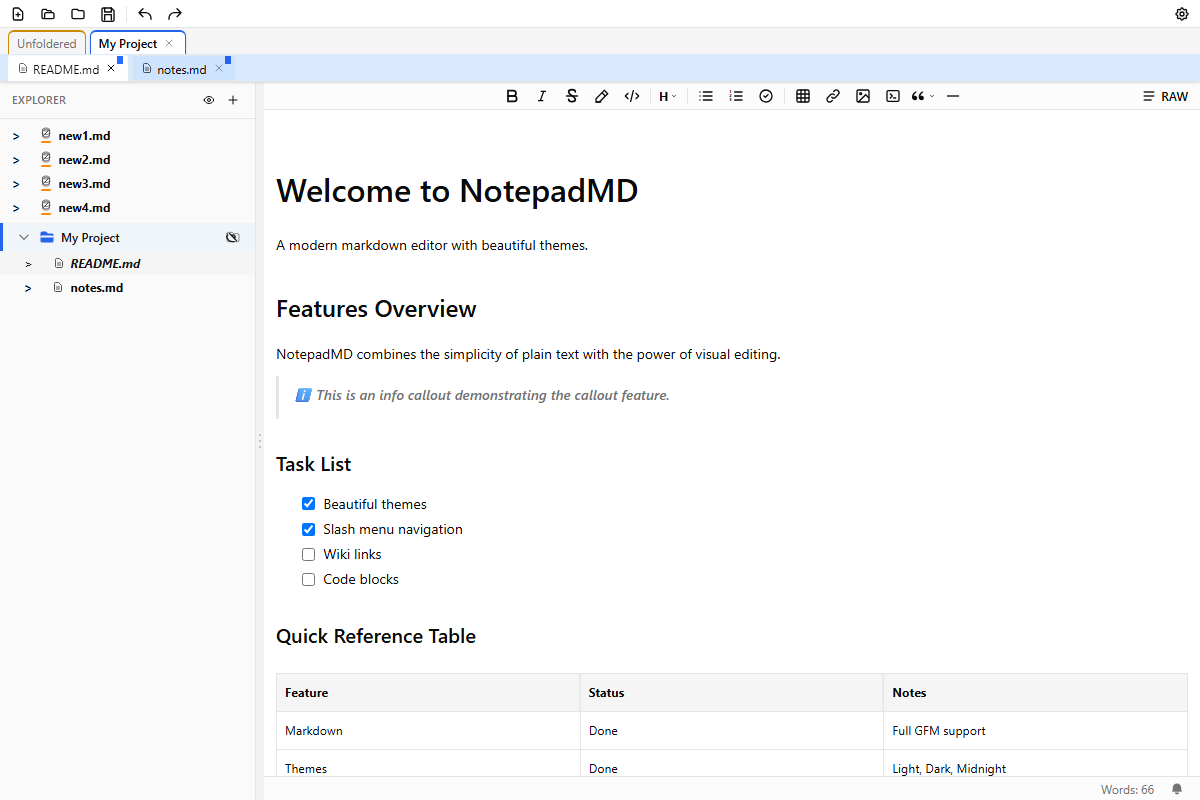
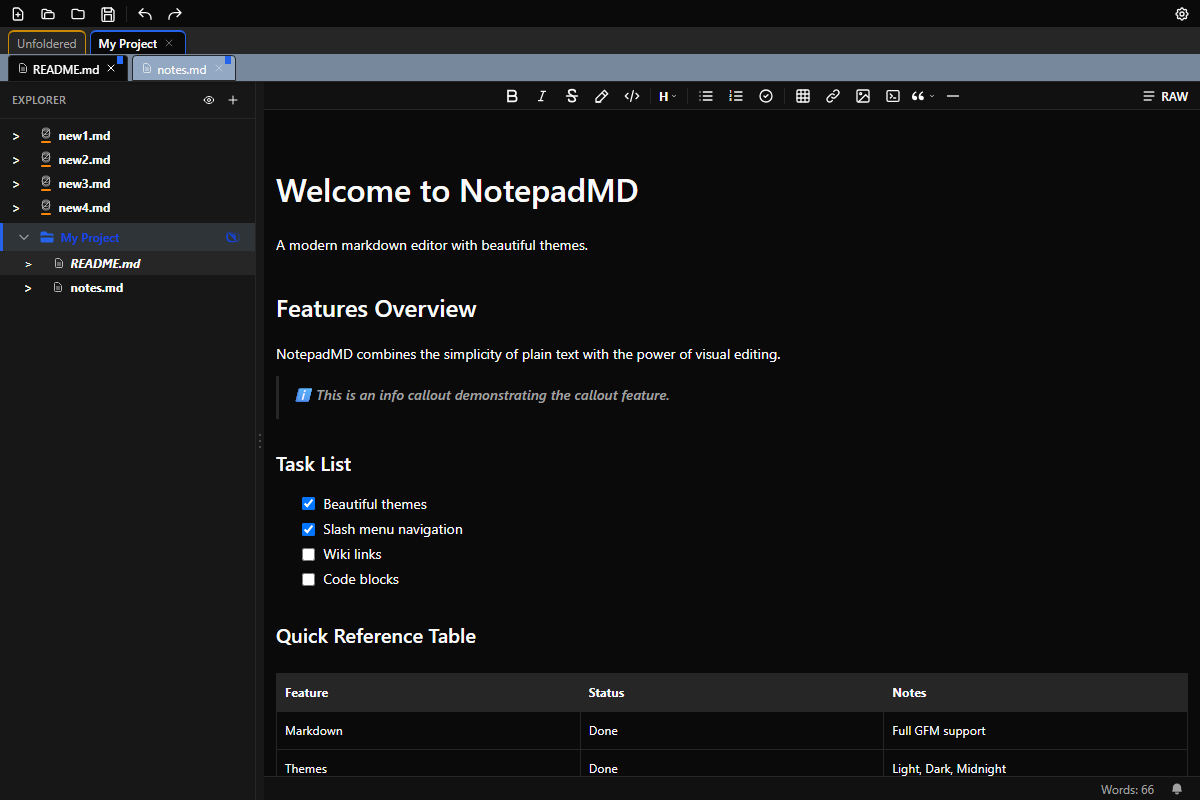
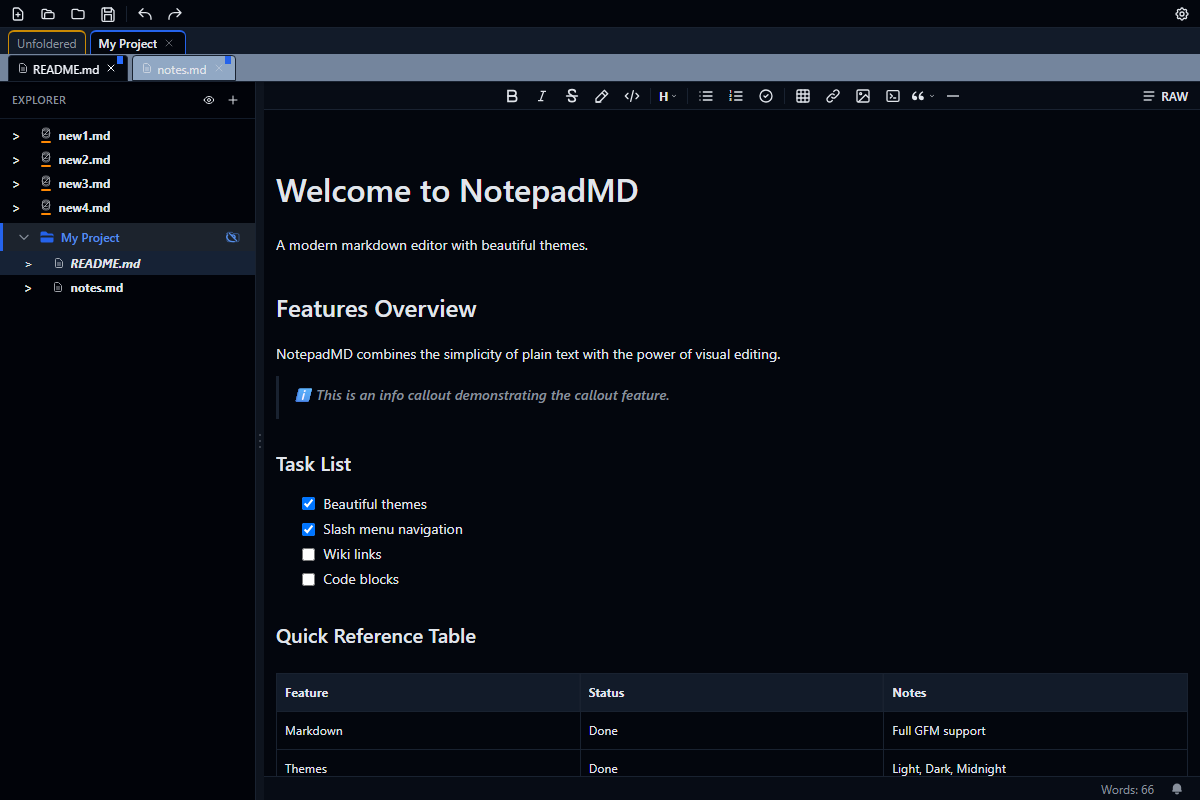
Everything you need for sophisticated markdown editing, designed with care.
Headings, bullet lists, numbered lists, blockquotes, dividers, inline code, and rich text paragraphs—all the basics covered
Track tasks with interactive checkboxes and multiple levels of sub-tasks
Syntax highlighting for 12+ languages
Visual table editing with resize handles and column and row management
5 alert types: Note, Tip, Important, Warning, Caution
Embed images with drag-and-drop support
Free for personal use. Support development with a Pro licence.
For personal use or small businesses
For power users and professionals
For teams and enterprises
Download NotepadMD for free and experience smooth, powerful markdown editing.
Download Free